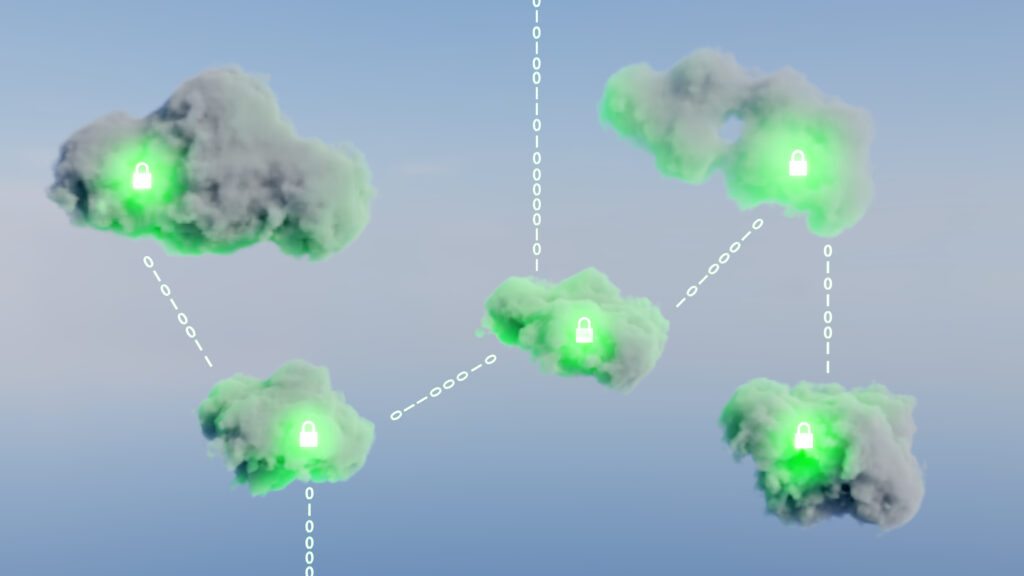


Cloud infrastructure security protects workloads, sensitive data, and traffic across public cloud, private cloud, and hybrid cloud environments. Hybrid cloud security and multi-cloud growth increase visibility gaps, vulnerabilities, policy complexity, and exposure to cyber threats for IT teams.
Cloud infrastructure security risks and operational challenges
Companies tend to run workloads in the public cloud, private cloud, on-premises infrastructure, and managed services at the same time. Security risks sprawl when organizations can’t see into every environment, maintain consistent policies, or secure every gateway. Resources like API gateways, SaaS integrations, firewalls, VPNs, remote endpoint connections, improperly configured permissions, and other cloud infrastructure services tend to have weak access controls and create vulnerabilities.
Vulnerabilities can also occur when IaaS resources and cloud assets are misconfigured APIs are exposed, IAM roles are too permissive, or authentication procedures are weak. Poor controls can lead to security risks like ransomware, malware, and data breaches. Security also becomes an issue when network traffic visibility and segmentation policies are inconsistent between cloud environments. Without consistent visibility into network traffic, organizations face challenges in detecting threats, enforcing security policies, complying with regulations, and meeting disaster recovery objectives.
Security processes are not always automated when securing cloud infrastructure and data center operations. Continuing to use manual security processes can impede your ability to automate security, gain visibility into threats as they occur, and implement security controls across your environment. Your security team might also struggle to correlate monitoring in SIEM, enforce Zero Trust access, align Security Orchestration, Automation and Response (SOAR) tools, and deploy cloud-native security solutions across hybrid cloud environments.
Conducting cloud infrastructure security assessments and improving cloud security posture management can help identify risks, policy conflicts, and improper access controls. Remediation happens before these issues become larger cybersecurity threats. Managing and optimizing security policies across your hybrid cloud is possible by gaining greater visibility into your environment. Improving visibility is also a top hybrid cloud security best practice to help reduce security risks.
Cloud infrastructure security models and security controls
An organization’s choice of cloud computing security model is driven by the location of its workloads, cloud services, and sensitive information. Security policies for public clouds revolve around internet-facing cloud resources and dynamically scalable cloud-native applications. Private cloud environments put more infrastructure and security controls directly in the hands of organizations, such as physical infrastructure, security policies and access controls within dedicated private environments. Hybrid clouds connect existing on-premises systems with commercial cloud providers, and multi-cloud environments move workloads between various cloud providers for greater scalability and flexibility.
These environments utilize different security controls and place priority on different network security aspects. Identity and access management, authentication and Zero Trust security models allow security teams to tightly manage access to APIs, VPN connections, endpoint devices and additional cloud resources. Firewalls, segmentation policies, and threat detection tools can also help security teams reduce the risk of ransomware, malware and lateral movement between workloads. Container security and workload protection also become a focus as organizations increase automation and orchestration throughout cloud-native infrastructure.Visibility and maintaining consistent security policies are critical to cloud infrastructure security. Cloud-native security solutions offer scalability benefits and allow teams to monitor network traffic in real-time, but maintaining different security policies between cloud providers can create security gaps. Centralized policy management allows security teams to maintain consistent security controls across their network, improve security policy enforcement, and gain greater visibility into security posture across cloud infrastructure, data centers, and cloud-based services. Tufin Orchestration Suite helps security teams automate and manage policies across firewalls, hybrid cloud infrastructure, SASE, and microsegmentation technologies.
Managing cloud computing can become highly complex when security teams are siloed by workflows or separate tools for each environment. That can weaken compliance requirements, slow incident response, and create inconsistent access controls across multi-cloud infrastructure. Examples in Security Wins from Booking.com‘s Hybrid Cloud Migration show how automation and infrastructure standardization can improve long-term cybersecurity operations and reduce security risks.
Cloud infrastructure security best practices and workforce considerations
Centralized visibility into workloads, cloud resources, and hybrid cloud environments helps security teams establish unified security policies for public cloud, private cloud, and on-premises systems. Eliminating security silos across hybrid cloud environments enables stronger security policy enforcement while minimizing blind spots. Ongoing monitoring, real-time threat detection, and automated security controls also allow organizations to remediate vulnerabilities before they cause larger cybersecurity risks. Improved governance over identity and access management, least-privilege access, and frequent authentication reviews can also minimize exposure from APIs, endpoint access, and excessive IAM privileges.
Large-scale cloud computing environments and multi-cloud infrastructure benefit from security automation that minimizes operational overhead. Complex or manual security workflows are more likely to create policy inconsistencies and misconfigurations. The risk of misconfigurations also increases as public cloud services scale and expand rapidly between cloud providers.
Organizations are increasingly leveraging orchestration workflows, SIEM platforms, and cloud-native security solutions to streamline compliance requirements, disaster recovery, and uniform security policies. Validating infrastructure as code also allows security teams to validate policies and insecure resources before they’re deployed. Discover how Tufin Orchestration Suite can help you orchestrate, gain visibility into, and manage policies for cloud infrastructure and hybrid cloud security solutions.
Conducting cloud infrastructure security assessments can also improve your overall cybersecurity strategy. Organizations also review Zero Trust architecture, cloud data protection standards, and network security policies as part of broader hybrid cloud security operations. Guidance in this Hybrid Cloud Security Guide outlines how operational complexity increases when disconnected security tools and inconsistent security policies spread across hybrid cloud environments.
Demand for cloud infrastructure security engineers is increasing as cloud platforms become more complex. Many cloud infrastructure security positions require prior experience with cloud-native infrastructure, security automation, threat detection, policy governance, and securing hybrid cloud environments. Cloud infrastructure security courses may also cover IAM governance, infrastructure as code, compliance standards, and security posture management. Competition for cloud infrastructure security jobs is high, and salaries are strong as organizations continue migrating to the cloud and face increased cybersecurity risks.
Conclusion
Visibility into cloud computing environments, consistent security controls, and dependable policy enforcement are critical components of cloud infrastructure security. As organizations continue to scale cloud environments, APIs, VPNs, and other cloud resources across hybrid and multi-cloud infrastructure, policy fragmentation and misconfigurations are driving increased risk, operational burden, and ransomware/malware exposure. An effective cloud security strategy requires scalable governance and automation, real-time threat detection, IAM governance, SIEM visibility, and network security practices that minimize blind spots while enabling compliance and growth. Learn how to strengthen cloud infrastructure security and operate more consistently across hybrid cloud environments: get a demo.
Frequently asked questions
What is cloud infrastructure security assessment?
Cloud infrastructure security assessment focuses on cloud resources, IAM governance, APIs, reducing the risk of unauthorized access, and network security configuration within cloud computing environments. Many organizations conduct security assessments to uncover misconfigurations, ransomware exposure, compliance gaps and operational weaknesses before they evolve into larger security issues.
Organizations evaluating evolving cybersecurity risks can explore Top Cloud Security Threats: Charting the Course Through Digital Clouds.
How does cloud infrastructure security compare to infrastructure security on-premises?
Cloud infrastructure security is designed to scale to meet expanding workloads, distributed authentication systems and shared responsibility models between cloud service providers. On-premises infrastructure typically provides more direct operational control, while hybrid cloud environments require security teams to coordinate policy enforcement, disaster recovery, and security controls across both cloud and traditional data center infrastructure.
Teams comparing operational tradeoffs across deployment models can review Cloud vs. On-Premises: Here’s What You Need to Know.
Why do cloud infrastructure security teams prioritize governance and operational coordination?
Cloud infrastructure security extends across AWS technologies, APIs, firewalls, VPNs, endpoint devices and any other resources that span across your distributed cloud. These systems are often managed through decentralized workflows and tooling. Without proper coordination, your organization opens itself up to policy inconsistencies, slower incident response and larger attack surfaces across your hybrid and multi-cloud infrastructure. Governance allows security teams to operate more consistently, with less overhead and with stronger security postures.
Learn How to Reduce Your Attack Surface Across Your Hybrid Network.
Ready to Learn More
Get a Demo